3D SPECTRAL PLOTS
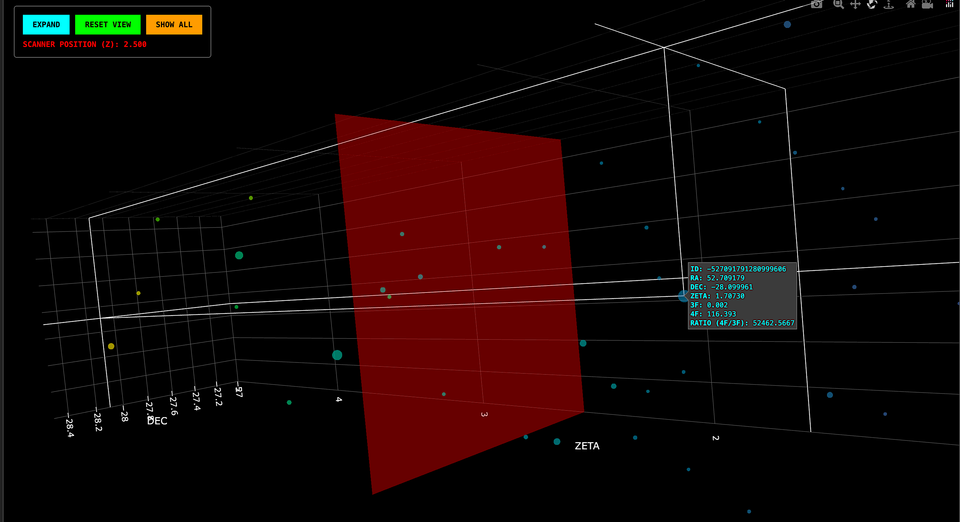
The research from THE MONSTERS to HARMONIA and BARCODE then leading to our statistical work in THE MONTE CARLO CANDIDATES and PRIMUM MOBILE is a milestone in our understanding of the cosmos...
To see the lattice materialize to level of interactive depth is something special.
So, we’ve built you a "Telescope" using the data from Euclid using its Spectrosopic data to the exact recipe used in PRIMUM MOBILE that we ran the Monte Carlo simulations with and made our KDE plots from.
Here's your Users Manual... Please scroll down to enjoy the fully interactive spectral plots for yourself!
Methodology: The Spectral Audit of the χ Lattice
The Primum Mobile dashboard presents a dual-field spectral audit of the cosmic web. Unlike traditional 2D sky maps, these engines render the spatial geometry of the universe across vast distances of time and space, using redshift (𝛧) as the depth coordinate.
The Two Survey Fields
- Amazonia (The Wide Survey): This engine maps 77,558 nodes across a massive redshift range of 𝚭=0 to 5. It is designed to show the "Big Picture" evolution of structural filaments and as part of the plot, we have included the 3f & 4f data from the photometric dataset so the plot shows the larger 4f/3f>10 trees (see below)
- Congo (The Deep Field): A concentrated audit of 65,508 nodes within the 𝚭=1.1 to 3.1 window. This field provides the "Pristine Geometry"—a high-density look at the lattice's structural core without the noise of broad-field surveys.
Logarithmic Salience (The "Trees")
In the Amazonia field, we employ a log{10} scaling differential. Because node salience (the ratio of 4F/3F flux) ranges from <1 to over 100,000, a linear scale would make the largest and truly monstrous Trees block the entire screen. By using a log-scale, we preserve the visibility of the faint "leaf" nodes while allowing the massive structural hubs to appear as bright, dominant beacons.
Navigator’s Manual: Controlling the View
To allow for high-precision auditing, both engines are equipped with the Progenita Standard Control Deck.
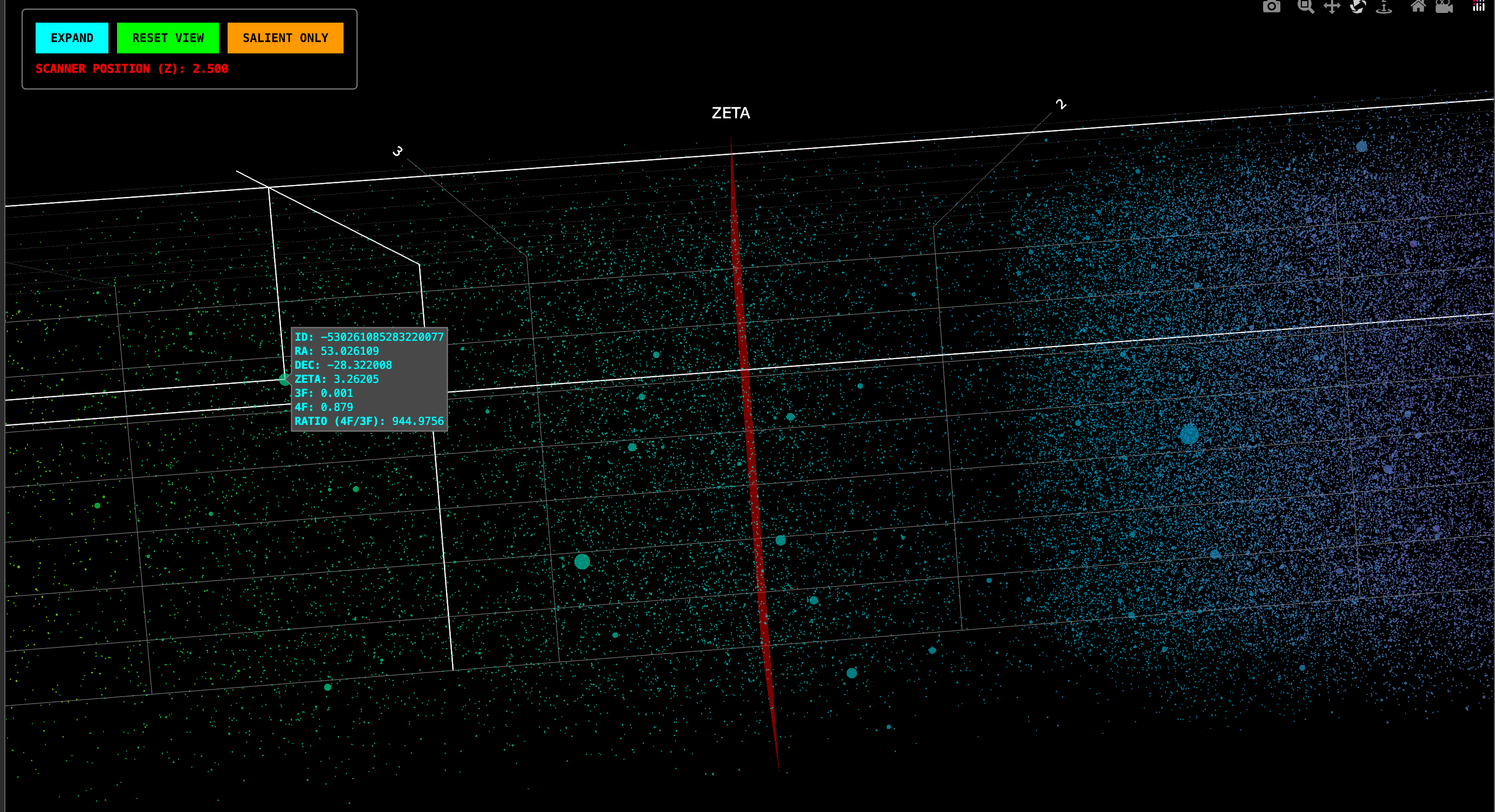
Mouse & Trackpad Gestures
- Rotate: Left-click and drag to spin the lattice.
- Pan: Right-click and drag (or use Shift + Click) to move the entire field across your screen.
- Zoom: Use the scroll wheel or pinch-to-zoom to dive deep into specific filament clusters.
- Data Audit: Hover your cursor over any node to reveal its Object ID, RA, DEC, and exact Redshift (ZETA). In Amazonia, this also reveals the raw flux ratios.
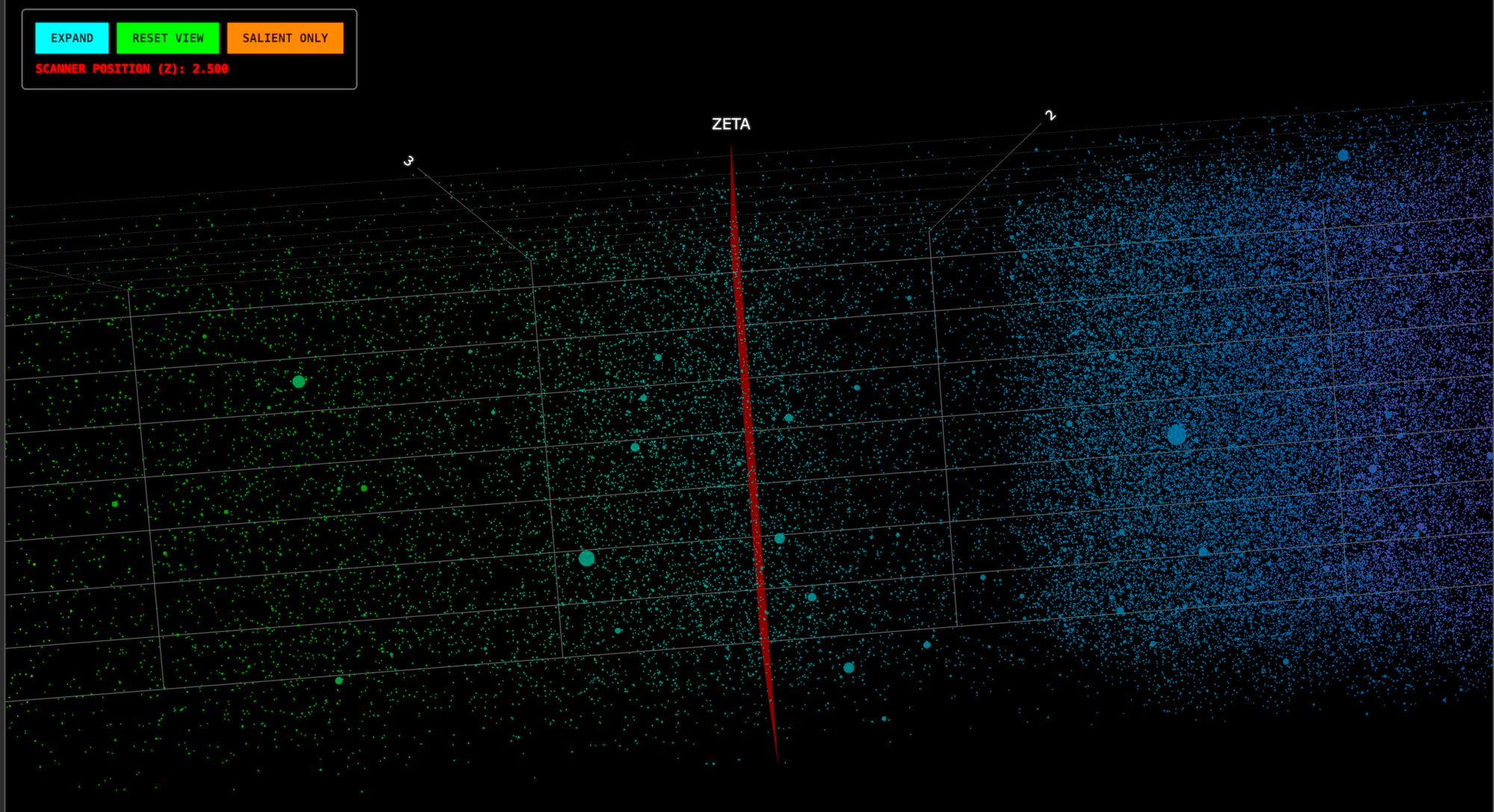
The Command Buttons
- INITIALIZE ENGINE: High-density spectral data is heavy. Clicking this fetches the 13MB coordinate payload only when you are ready to view it, preserving your browser’s performance.
- EXPAND: Enters Fullscreen/Theater Mode. This is essential for inspecting the "End-On" orientation of the lattice filaments. Please note: When using the "EXPAND" function on your desktop, do not maximise your browser – the function will enter full theatre mode automatically without requiring maximise.
- RESET VIEW: If you lose your orientation in the 3D void, click this to snap the camera back to the Landscape Baseline and return the Scanner to its default position.
- SALIENCE ONLY (Amazonia Only): A toggle that hides the background noise, leaving only the high-value "Leviathan" nodes visible. This is used to identify the primary gravitational anchors of the field.
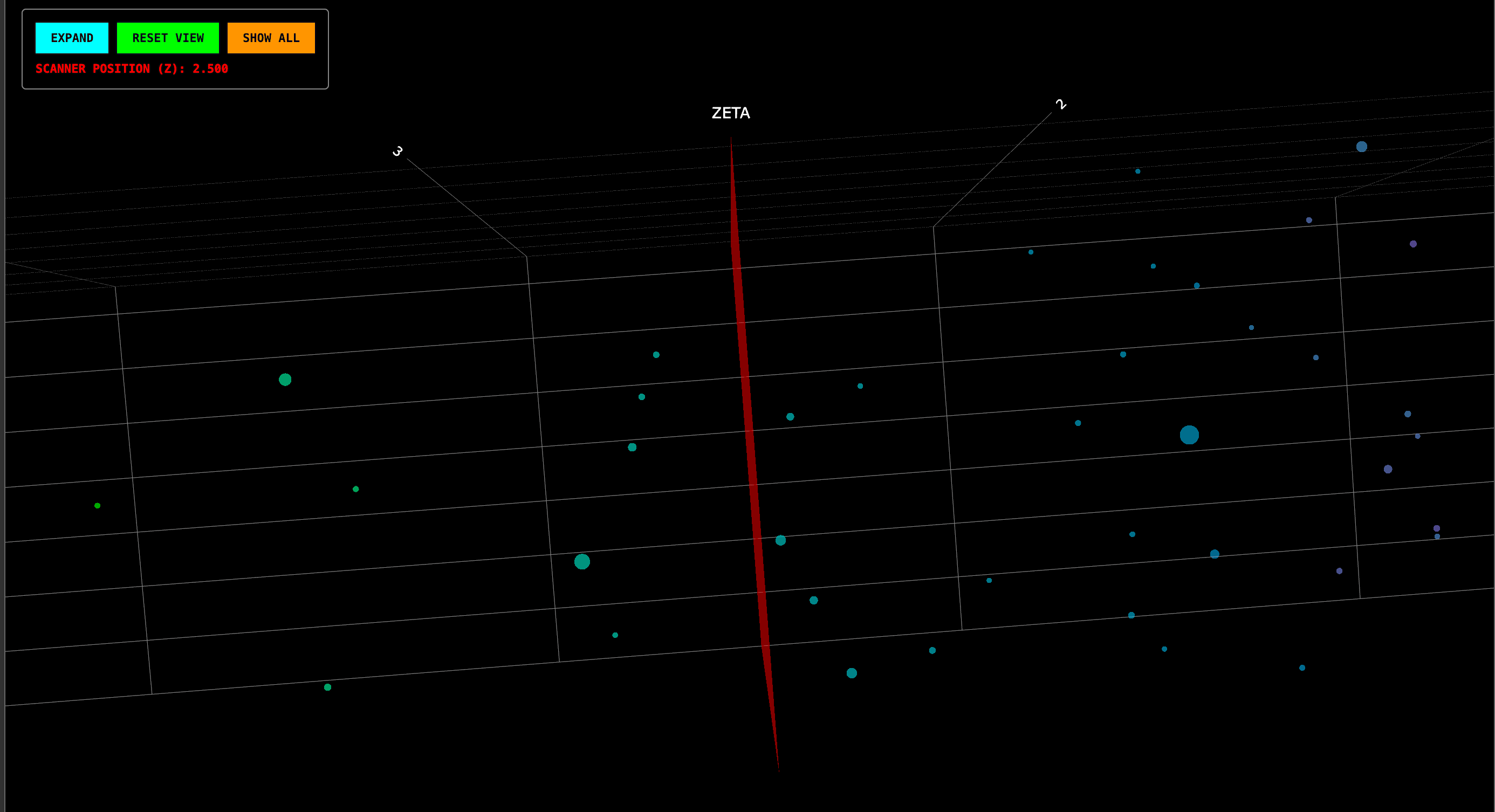
The Dynamic Red/Green Scanner
As you rotate the lattice, a Focal Plane (Red for Amazonia, Green for Congo) slices through the data. The UI displays your current Scanner Position (Z). This allows you to "slice" the universe and see how structural alignments change at different epochs of cosmic history.
Pro-Tip for Researchers
For the best experience, view the lattice in End-On Orientation. Use the RESET button to align the Redshift axis horizontally across your screen. This perspective reveals the "Barcode" effect of the strata, where nodes naturally cluster into the planes of the lattice.
AMAZONIA FIELD
ZETA 0.0 — 5.0 | 77,558 NODES
SALIENCE LOG-SCALING ENABLED
CONGO DEEP FIELD
ZETA 1.1 — 3.1 | 65,508 NODES
PRISTINE STRUCTURAL GEOMETRY

For too long, the deep-field architecture of our universe has been served to the public as flat, lifeless imagery or endless imagined simulations.
— DENCER HYDE (@DencerHyde) April 13, 2026
Today, we break that seal.
We are proud to announce the activation of the 3D Interactive Dashboard
VISIT: https://t.co/jd2ESsWLZz https://t.co/3Irfzy6Gww pic.twitter.com/aHppyBOlVw